



Michael JohnsonFounder
Submitted our software to 150+ directories. Great visibility and quality backlinks. Highly recommended for anyone looking to grow their product.
Software Submission2 weeks ago







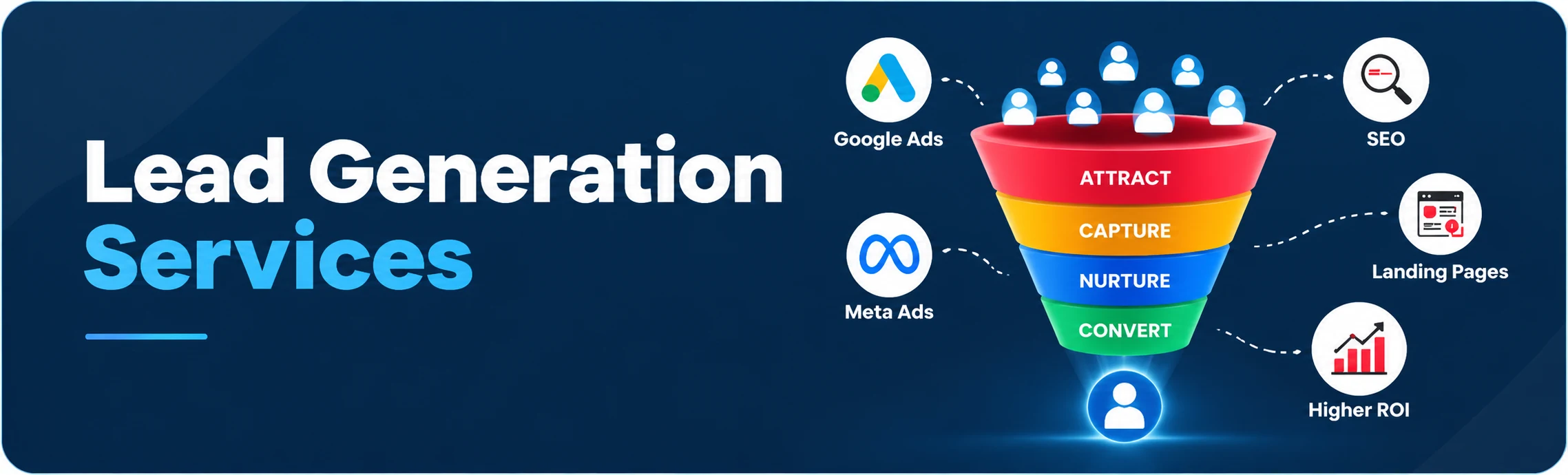


FreeSoftwareX is a trusted platform for discovering software, SaaS, products, services, and business solutions through a safe, official, and user-friendly experience. We help businesses, startups, educational institutions, and individual users explore the right tools for their needs with confidence. From software and hardware to IT services, cloud tools, security solutions, AI tools, office products, and business services, our mission is to make software discovery simple, reliable, and value-driven.
What makes FreeSoftwareX different is our focus on authenticity, clarity, and business growth. We do not repackage installers; instead, we guide users toward official publisher sources, transparent licence information, and trustworthy listings that support better decision-making. Beyond discovery, we also help brands and service providers grow through marketplace visibility, product promotion, directory submissions, lead generation, and service discovery—connecting the right solutions with the right audience in a smart and professional way.

Compare free and paid business software in Bay, Calabarzon — billing, accounting, CRM, inventory and antivirus. See prices in ₱, download free tools, and connect with local software dealers.
To buy a business lead means paying for access to contact information tied to a specific commercial requirement. That requirement could be almost anything — a company shopping for new software, a business hunting for a marketing agency, a buyer requesting industrial machinery, a property enquiry, a retailer looking for a supplier, or an organisation that needs a professional service. The lead is where a sales conversation starts. It is not a completed sale, and treating it as one is the fastest way to be disappointed by a perfectly good marketplace.
It's also worth separating a lead from a qualified prospect, because the two get used interchangeably and shouldn't be. A lead simply signals possible interest or need. It only becomes a prospect once your team confirms the requirement genuinely fits what you sell, the contact is reachable, and the buyer has real need, authority, budget, and timing — the classic qualification checklist. In practice, that means your sales rep still has to ask questions, understand the requirement, and present something relevant after unlocking a lead. The marketplace gets you to the starting line faster; it doesn't run the race for you.


FreeSoftwareX organises business leads by category, so whichever sector you're in, there's a reasonable chance the marketplace already has relevant enquiries. Rather than promising fixed numbers that go stale the moment inventory changes, every category links straight through to the live Browse Leads page, where you can see what's actually available right now — all backed by verified business leads rather than a static, unmoderated list.
Marketing and creative teams are usually the fastest to try the marketplace. They come looking to buy digital marketing leads in Philippines, buy SEO leads in Philippines, buy Google Ads leads in Philippines, and buy social media marketing leads in Philippines, alongside web design, website development, graphic design, and video production requirements. Agencies scaling their own client base often search more specifically to buy B2B digital marketing leads in Philippines or buy digital marketing agency leads in Philippines, while smaller studios simply want to buy customer leads for digital marketing without committing to a full retainer-sized database. On the software side, buyers regularly buy software development leads, mobile app development leads, SaaS development leads, and IT support leads, plus a dedicated software-buyer segment where teams buy CRM software leads, ERP, accounting, and HRMS software enquiries by name.
If your business sits in a narrower niche — say you specifically want to buy leads for interior design projects or buy leads for study abroad consultancy — those categories are searchable directly inside the marketplace filters rather than requiring a separate enquiry.


Pick a promotion channel and start generating more leads.
Smart software solutions for every sector

The process is intentionally simple, and most of it happens on the live portal rather than on this page — pricing, credits, and unlock terms should always be confirmed there, since they're the source of truth:
For the full current process, see How the Lead Marketplace Works or the Lead Marketplace FAQ.
Feedback from people using this software day to day.
See what our clients have to say about their experience and the results we deliver.
Submitted our software to 150+ directories. Great visibility and quality backlinks. Highly recommended for anyone looking to grow their product.

Excellent service! Our app is now live on top directories and we’ve seen a 40% traffic boost. The process was smooth and support was always helpful.

Professional team and smooth process. They know exactly what works. We started getting more visibility and users faster than expected.

The best platform for software promotion. Clean reports, manual submission and real results. Definitely worth it!

Our product got listed on high DA directories. Support is amazing and always responsive. We’ve seen steady growth in traffic and signups.
Get discovered by thousands of buyers searching for tools like yours, every month.
Finding reliable tools shouldn't always cost your budget. For businesses and students in Bay, there are professional-grade open-source options available for immediate download. These are ideal for startups testing their workflows without initial capital investment. Whether you are setting up a home office or managing documents for a small enterprise in Bay, these tools perform as well as their paid counterparts.
Managing cash flow is the heartbeat of any shop in Bay. If you are just starting, you don't need expensive enterprise-grade systems. Many business owners in Bay look for simple tools that can generate a professional PDF invoice in seconds. Expect to see pricing models ranging from free entry-level versions to monthly subscriptions starting at around ₱500 to ₱1,500 per month for growing firms.
Maintaining clean books is non-negotiable for success in Bay. Whether you are a sole proprietor or managing a mid-sized team, digital accounting eliminates the manual errors of pen-and-paper tracking. Many software providers now offer cloud-based portals where you can monitor your finances from anywhere in Bay. Prices for accounting platforms generally start at ₱1,000 monthly, depending on the volume of transactions you process.
With the rise of online transactions in Bay, protecting your laptop from ransomware and phishing is essential. Free options are fine for basic personal use, but if you run a shop, you should invest in paid, multi-device security suites. Popular brands like Norton and McAfee offer yearly licenses that protect your business data. Expect to pay between ₱1,200 and ₱2,500 annually for a robust protection plan that covers your shop’s primary machines.
Customer Relationship Management (CRM) isn't just for big corporations. Businesses in Bay can use CRM tools to track customer orders, follow up on inquiries, and manage repeat clients. By keeping your client database organized, you ensure that no sale falls through the cracks. Many CRMs now offer a "freemium" model, where you pay nothing until your customer list grows beyond a certain limit, making it perfect for Bay startups.
If your retail shop or warehouse in Bay is struggling to keep track of stock levels, it is time to move to an ERP or inventory system. These systems alert you when supplies are low, preventing you from missing out on sales. You can often find modular systems that allow you to start with just inventory and add payroll or accounting later as your Bay business expands.
For restaurants, pharmacies, or local retail shops in Bay, a Point of Sale (POS) system is the most important piece of hardware and software you will own. It ties your cash drawer, receipt printer, and inventory together. Many shops in Bay are now moving away from legacy hardware in favor of cloud-based POS systems that work on Android tablets or iPads, keeping costs low while increasing speed at the counter.
Calculating employee hours, deductions, and bonuses can be a headache for business owners in Bay. Modern payroll software automates these tasks, keeping you compliant with labor laws. Look for systems that integrate with time-clock apps. This is a game-changer for service businesses in Bay that need to track shift patterns for staff members.
Whether it is word processing, video conferencing, or project management, the right office suite keeps your Bay team synchronized. If you don't need the full power of Microsoft 365, look into Google Workspace for a collaborative experience. Prices in the Philippines for these suites are typically competitive, with tiers starting at ₱200-₱300 per user per month.
Starting a business in Bay comes with many costs; software shouldn't break the bank. We suggest starting with "FreeSoftwareX" to compare low-cost versions of the software you need. Many providers offer "Start-up" discounts or local pricing structures tailored for the Philippine market. Focus on tools that offer scalability—you want software that grows as your footprint in Bay grows.
If you prefer to speak to a human, looking for local software dealers in Bay can provide peace of mind. Dealers often help with the initial installation, setup, and troubleshooting of specialized software. When you buy from a local reseller, you often get better support than buying directly from a global website. If you are looking for help setting up your office network, reach out to local IT partners to get a localized quote.
Don't just buy the most expensive option. For most businesses in Bay, the right tool is the one that is used every day.
Ready to upgrade your systems? You don't have to guess the price. Use our platform to request quotes from authorized dealers in the Bay area. By comparing multiple quotes, you ensure you aren't overpaying for licenses. When you buy through a verified channel, you receive genuine keys and consistent updates, keeping your business in Bay secure and efficient for years to come.
Browse all software categories → · All software · All brands
Choose from a curated catalog of software and services for every business need.
Genuine, verified reviews from real users to help you make an informed decision.
Get personalized software recommendations from our experts — completely free.
We help you submit and showcase your software, products, and business listings through a clear, professional process.

Promote your software on trusted software platforms to increase visibility, traffic, and qualified leads.
Process
Showcase your product on relevant platforms and marketplaces to attract buyers and improve product reach.
Process
List your business on high-quality directories to improve discoverability, authority, and local presence.
ProcessTop products and services chosen by businesses like yours.


Real programs, real opportunities — partner with us and grow your business.
Hand-picked and trusted by thousands of users.


Plays virtually any media file, on any platform, with no codec packs.
View details
The standard software for live streaming and screen recording.
View details
Professional 3D creation suite — modelling, animation and VFX.
View details
The leading free office suite — a genuine Microsoft Office alternative.
View detailsTell us your requirements and we’ll get back with the best solutions.

Explore our most in-demand digital solutions to grow your business online.
FreeSoftwareX goes beyond a simple download directory. It is a complete platform to discover trusted software, publish and promote your own product, post what you need and get matched with the right solution, connect with verified developers, and grow your business — all in one place.
Discover. Launch. Connect. Grow.
Find the right software from thousands of categories and solutions.
Showcase your software to the right audience and boost visibility.
Post what you need and get matched with the best solutions.
Reach thousands of active buyers on FreeSoftwareX — free listings, verified reviews, stronger brand visibility, and quality leads for your software.
Publish software guides, tutorials, reviews, and industry insights on FreeSoftwareX — and help readers discover better tools with expert content.
Contribute high-quality content about software, tools, tutorials, comparisons, or industry insights and reach the right audience.
Want to post your own blogs too? Publish on our directory site for good traffic and reach a wider audience.
No blog posts published yet — be the first to write one.
Hand-picked, real-world tested software across every category -- the tools our team actually recommends.
 Free tierAvast Free AntivirusView details Free tierAVG AntiVirus FreeView details
 Free tierBitdefender Antivirus FreeView details
 Free tierMalwarebytes FreeView details Open SourceClamAVView details
 Open SourceKeePassXCView details
 Free tierBitwardenView details Free tierAvira Free SecurityView details Free tierPanda Free AntivirusView details Free tierComodo FirewallView details Free tierZoneAlarm FirewallView details Free tierProtonVPNView details Free tierKaspersky FreeView details Free tierLastPassView details Open SourceVeraCryptView details
 Open SourceApache OpenOfficeView details Open SourceONLYOFFICE Desktop EditorsView details Free tierWPS OfficeView details
 Free tierObsidianView details
 Open SourceJoplinView details Free tierCalibreView details Free tierEvernoteView details Free tierMicrosoft OneNoteView details Free tierNotionView details Free tierFocus To-DoView details Free tierTickTickView details Free tierTodoistView details Free tierTrelloView details Free tierGanttProjectView details
 Open SourceInkscapeView details Open SourceKritaView details Free tierPaint.NETView details Open SourcedarktableView details Open SourceRawTherapeeView details Free tierCanvaView details Free tierFigmaView details Free tierFastStone Image ViewerView details Free tierIrfanViewView details Free tierXnViewView details Free tierPhotoScapeView details Open SourceFreeCADView details Open SourceLibreCADView details Open SourceScribusView details Open SourceAudacityView details
 Open SourceArdourView details
 Open SourceLMMSView details Open SourceMuseScoreView details Open SourceMixxxView details Open SourceHydrogenView details
 Open SourcempvView details
 Open SourceKodiView details
 Free tierfoobar2000View details Free tierMusicBeeView details Free tierAIMPView details Free tierWinampView details Free tierPotPlayerView details Free tierKMPlayerView details Free tierMedia Player ClassicView details Free tierGOM PlayerView details Free tierEmby ServerView details Free tierPlex Media ServerView details Open SourceJellyfinView details Free tierMediaMonkeyView details
 Free tierDiscordView details
 Free tierTelegram DesktopView details
 Free tierSignalView details
 Free tierZoom WorkplaceView details
 Free tierMozilla ThunderbirdView details Free tierSkypeView details Free tierMicrosoft TeamsView details Free tierWhatsApp DesktopView details Free tierSlackView details Open SourceElementView details Free tiereM ClientView details Free tierLINEView details Free tierViberView details Free tierWeChatView details Free tierTeamSpeakView details
 Open SourceMozilla FirefoxView details
 Free tierGoogle ChromeView details
 Open SourceBraveView details
 Free tierOperaView details
 Free tierVivaldiView details
 Open SourceTor BrowserView details Free tierMaxthon BrowserView details Free tierMicrosoft EdgeView details Open SourcePale MoonView details Open SourceWaterfoxView details
 Open SourceGitView details
 Open SourcePythonView details
 Open SourceNode.jsView details Open SourceNotepad++View details
 Free tierDocker DesktopView details Free tierAndroid StudioView details Open SourceEclipse IDEView details Open SourcePyCharm CommunityView details Open SourceIntelliJ IDEA CommunityView details Open SourceSublime TextView details Free tierPostmanView details Free tierHeidiSQLView details Free tierXAMPPView details Open SourceVimView details
 Free tierFileZillaView details Free tierWinSCPView details Open SourceFreeFileSyncView details Free tierBitTorrentView details Open SourceDelugeView details Open SourceCyberduckView details Open SourceqBittorrentView details Open SourceTransmissionView details Free tieruTorrentView details Free tierTeraCopyView details Free tierWinDirStatView details Free tierMEGAView details
 Open SourceDuplicatiView details Open SourceClonezillaView details
 Open SourceSyncthingView details
 Free tierVeeam Agent for Windows FREEView details Free tierMacrium Reflect FreeView details Free tierRecuvaView details Free tierTestDiskView details Free tierAOMEI Backupper StandardView details Free tierEaseUS Partition Master FreeView details Free tierMiniTool Partition Wizard FreeView details Free tierDropboxView details Free tierGoogle DriveView details Free tierOneDriveView details Free tierNextcloud Desktop ClientView details Free tierCrystalDiskInfoView details
 Free tierAnyDeskView details
 Free tierTeamViewerView details
 Open SourceRustDeskView details
 Free tierChrome Remote DesktopView details Free tierParsecView details Open SourceRemminaView details Open SourceTightVNCView details Open SourceUltraVNCView details Open SourceMobaXtermView details Open SourcePuTTYView details
 Open SourceShareXView details Open SourceGreenshotView details Open SourceFlameshotView details
 Open SourceVirtualBoxView details
 Open SourceQEMUView details
 Free tierVMware Workstation ProView details Free tierUTMView details
 Free tierProxmox VEView details Free tierDAEMON Tools LiteView details Free tierVirtual CloneDriveView details Open SourceSandboxieView details
 Free tierCCleaner FreeView details Free tierRufusView details Free tierEverythingView details Free tierCPU-ZView details Free tierHWMonitorView details
 Free tierAutoHotkeyView details Free tierAdvanced SystemCareView details Free tierAutorunsView details Free tierBalenaEtcherView details Free tierIObit UninstallerView details Free tierGeek UninstallerView details Free tierRevo UninstallerView details Free tierMSI AfterburnerView details Free tierMicrosoft PowerToysView details Free tierSpeccyView details
Support
Everything you need to know before you buy your first lead.

Ready to browse live enquiries? Visit the Business Leads Marketplace to see current listings, or looking for free tools instead? Browse the FreeSoftwareX directory of 220+ free programs. For anything else, contact us.