Why “free” doesn't mean safe
Free software has an image problem it mostly doesn't deserve. Search for almost any popular free program by name and the results page fills up with look-alike download sites, all promising the same file with a slightly different logo. Some of them are fine mirrors. A depressing number of them wrap the real installer inside their own "download manager," which quietly adds browser toolbars, changes your default search engine, or installs software you never asked for alongside the thing you actually wanted.
None of that is really about the software being free. It's about where you got the file from. The same popular program downloaded from its developer's own site and from a shady aggregator can be two completely different installers — one clean, one bundled with extras. The price tag was never the problem.
Check the publisher, not just the file
Before you click any download button, look at the domain in your address bar. Is it the software's own official site, or a generic-sounding "download portal" you've never heard of? Official sites are usually easy to confirm with a quick search for the developer's name plus the word "official," and they almost always use HTTPS with a certificate that actually matches the domain.
Every listing on FreeSoftwareX links straight to the publisher's own download page — never to a mirror or a rehosted copy. If you can't find an official source for something, that's already useful information.
Read what the installer says it will do
This is the step almost everyone skips, and it's the one that actually matters most. A bundled installer nearly always discloses what it's about to add — in fine print, on a screen you're meant to click through fast. Slow down on the first two or three install screens and actually read the checkboxes. If you see anything about a "recommended" browser extension, a new homepage, or a "bonus offer," it's opt-out, not required — uncheck it.
- Custom install over Express/Quick install — the custom path is usually where the extra offers are disclosed and can be declined.
- Pre-ticked checkboxes — anything already checked for you is worth a second look before you hit Next.
- Unrelated software names — if an installer for a PDF reader also mentions a "system optimizer" or "driver updater," that's the bundle.
Red flags in a “download manager”
Some sites replace the actual installer with their own downloader app first — a small program whose only job is to fetch and run the real installer, except it also fetches a few other things along the way. A few signs you're dealing with one:
- The file you downloaded is a few hundred kilobytes, when the real program is normally tens or hundreds of megabytes.
- The installer's publisher name (visible in the Windows security prompt) doesn't match the software you were trying to get.
- A giant, brightly coloured "Download Now" button sits next to several other equally large buttons that are actually ads.
What we check before listing anything on FreeSoftwareX
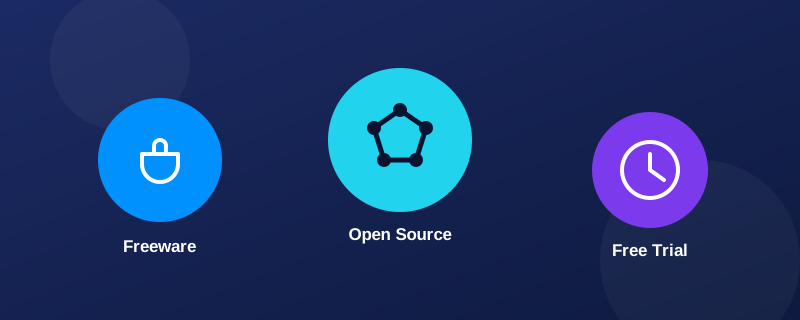
We don't host installers ourselves — every download button here sends you to the publisher's own site, so the file is always the real one. Before a program gets listed at all, we manually confirm what the software actually does, who makes it, and whether "free" means fully free, a limited free tier, or a time-boxed trial, and we state that plainly on the listing rather than leaving you to find out after installing.
Browse software we've already checked
88 programs, every one confirmed publisher-direct before it was listed.
A 60-second safety checklist
Next time you're about to download something described as free, run through this quickly:
- Is this the publisher's own domain, not a generic download portal?
- Does the file size roughly match what you'd expect for this kind of program?
- Did you choose "Custom install" and actually read each screen?
- Are any pre-ticked boxes for extra toolbars, homepages, or "offers" unchecked?
- Does the installer's publisher name match the software you meant to install?
None of this takes more than a minute once it's a habit, and it catches the overwhelming majority of bundled-adware installs before they ever run.